How to Fill the Empty Slots in Your Appointment Book: Quiet Hours and Last-Minute Cancellations
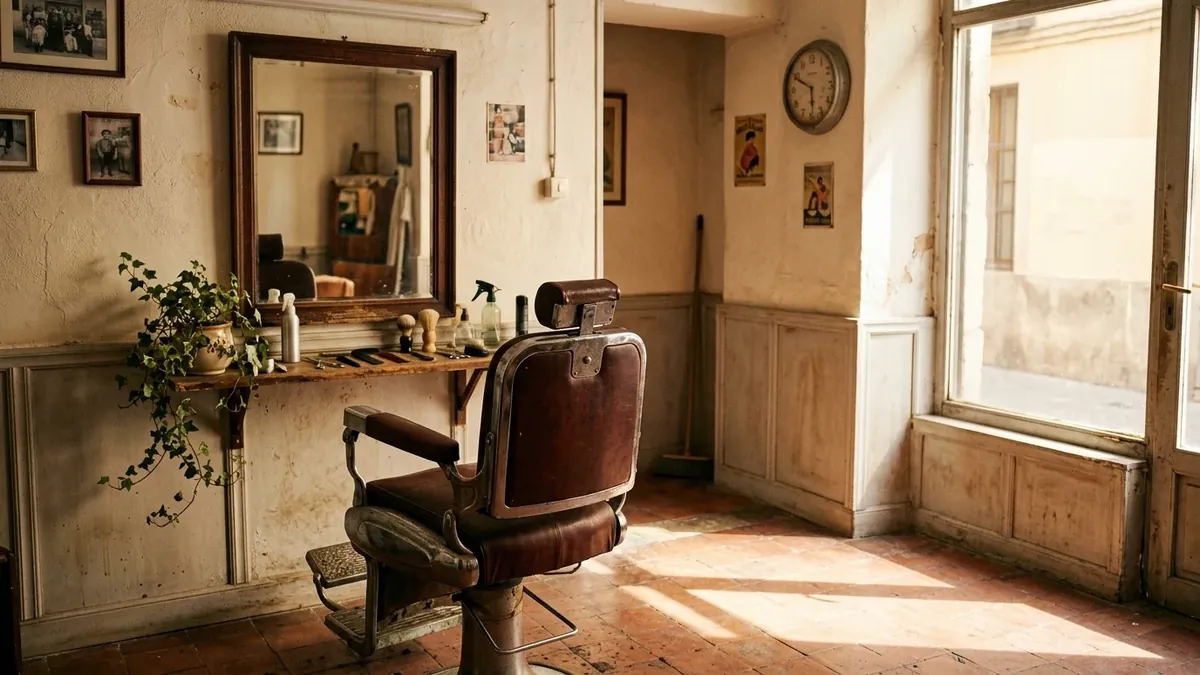
An ordinary Tuesday, 11:15 in the morning. You're standing at the counter with today's appointment book open. There's a booking at 10, another at 12:30 and another at 5:00 pm. Everything else is blank. Nobody has cancelled and nobody has no-showed: nobody has simply come in. Meanwhile the rent, the electricity and your wages keep running exactly as they do on a packed Saturday.
Empty slots in the appointment book are one of the most annoying problems for any business that works by appointment, because they never show up on an invoice. An empty hour isn't recorded as a loss anywhere. No money comes in, and at the end of the month it's hard to work out why the numbers don't add up.
The short answer: not all empty slots are filled the same way, so the first step is to tell them apart. Quiet hours that repeat every week are fixed with your opening hours, a well-designed offer and standing appointments. Last-minute gaps, the ones that appear when someone cancels, are filled with a quick message to your clients. And the cheapest way to have fewer gaps is to book the next appointment before the client walks out the door.
Here's the whole method, including what each tool in the app does and what it doesn't, so there are no surprises.
What an empty slot really costs you
It helps to put a number on it, because otherwise it stays a feeling. Picture a hair salon where the average service is €25 and takes 45 minutes. If three of those slots stay empty every week, that's €75 that never comes in. Over 48 working weeks, €3,600 a year. And that's a conservative sum: it leaves out the products you would have sold and the new client who would have become a regular.
What makes this different from other costs is that the hour can't be stored. A haircut you don't do on Tuesday can't be done on Wednesday on top of that day's. That's why the site has a free lost appointments calculator where you enter your own numbers and see what they add up to over a year. Try it before you keep reading: it changes how you look at your appointment book.
Before trying to fill them, work out which kind of gap you have
When someone says their book is slow, they usually mean one of three different things, and each needs a different fix.
| Type of gap | How you recognise it | What tends to work |
|---|---|---|
| Quiet hours that repeat | Always the same ones: Tuesday mornings, first thing on Thursday, the last stretch of the afternoon | Changing your opening hours, giving people a reason to come at that time, and setting up standing appointments |
| Last-minute gaps | They appear today or tomorrow because someone cancels, reschedules or doesn't show | Letting people know fast, with the exact time and a link to book |
| Badly cut gaps | Twenty minutes between two appointments, too short to sell anything | Setting the real length of each service and the order of appointments |
To find out which one you have, you need to look. For four weeks, at the end of each day, write down on a piece of paper which hours stayed empty. Nothing fancy: day, time and one word for why (cancellation, quiet day, stray gap). After four weeks you'll almost certainly see a pattern. It's common to discover that the problem isn't "I don't have enough clients" but "I have two dead mornings and a gap that repeats between six and seven".
The quiet hours that repeat every week
First ask yourself whether they need filling at all
If your Tuesday mornings have been empty for three months, perhaps it isn't a gap to fill but an opening schedule to change. Some businesses close that stretch and open an hour later on Friday, when people do come. You keep that time for errands, training or simply resting, and the appointment book stops looking empty.
In the app this is simple: your schedule is set by day and by time block, and your booking link only offers the hours you've opened. If you close Tuesday mornings, nobody can book them, and you won't have to explain that free morning to anyone.
Give people a reason to come at that time
If the stretch makes sense and people just don't pick it, the clearest reason is price, or something extra. It works best when it follows a few rules:
- It's tied to the hour, not to the client. "Tuesdays and Wednesdays until 2 pm, 10% off any service." That way you don't discriminate against anyone and everyone understands the rule.
- Only on the hours you have to spare. An offer at peak time is money given away. If you have a queue on Saturday at 11, you don't touch a thing there.
- It lasts long enough to become a habit. A two-day promotion changes nothing. Six or eight weeks does, because the client rearranges their week.
- It can be an extra instead of a discount. A free mask, a beard trim included, ten more minutes of massage. It costs you less and doesn't lower your reference price.
One calculation helps take the fear out of discounting. 10% off a €25 service is €2.50. If that offer fills three quiet hours a week, you bring in €67.50 that used to be zero. You're not taking the discount from an hour you'd have sold anyway: you're applying it to an hour you weren't going to sell.
Think about who can come on a Tuesday at 11
Not everybody can. Someone working nine to five can't. But plenty of people have flexible schedules and would welcome a quiet hour: retirees, freelancers, shift workers, students with free periods, anyone with the day off. If your quiet-hours offer is aimed at them and you tell them directly, it works far better than a generic sign. Tell the clients you already know ("hey, Tuesday mornings I've got room and I'll do you 10% off") and, if you have the app with notifications, send it there too.
Another idea almost nobody uses: save the quiet hours for the long services. A colour, a treatment, a two-hour nail session. Those are the hardest to squeeze into a Saturday and the ones that fit best on a calm Tuesday.
Standing appointments are the secret weapon
Clients who come every four weeks for the same service are predictable. If you offer them a fixed day and time ("first Thursday of the month at 10:30"), your book is full in advance and they don't have to remember to book. Not everyone will accept, but if five or six do, half a morning a month is already sorted.

Last-minute gaps: when someone cancels
This is the most frustrating gap, because it lands all at once: "I can't make it, sorry." You have a few hours to fill it and every hour that passes makes it less likely. What follows works from fastest to slowest.
1. Really free up the slot
It sounds trivial, but it comes first. When someone cancels, mark their appointment as cancelled in the dashboard. At that moment the hour shows as free again on your booking link, and if the client left an email, the app notifies them of the cancellation. If you just note the cancellation on paper, the hour stays taken for anyone trying to book, and you lose the chance of someone grabbing it on their own without you lifting a finger.
2. Message the people you know can come
Keep a short list of eight or ten clients who've told you at some point that they can come at short notice. You don't need a tool: a note on your phone is enough. When a gap opens, you write to them one by one, with a personal message: "Hi Marta, a slot has opened up this evening at 6:30. Would that work for you?" It works because it's a direct message to someone who has already said yes, and because the time is specific. In the article on clients who don't show up we explain how to put that list together.
3. Alert everyone who has your app
If you're on the Pro plan, the phone notification is the fastest way to reach a lot of people at once. The message that works best is the simplest one, with the time: "There's a slot today at 6:30. Shall I save it for you?", with a link to your booking page so whoever sees it can take it in two taps. As soon as someone books it, the hour disappears from your link, so there's no risk of two people getting the same slot.
One thing worth knowing so you don't expect more than it does. The notification goes to every client who has your app installed and notifications switched on, not to one person in particular. That has two consequences. One, you can't say "I'll tell only you"; for that, use the personal message from the previous point. Two, you should use it sensibly: a real gap, with a time, once or twice a week at most. If you alert people about anything, every day, they stop reading you. There's more detail on how and when to send alerts in the guide to push notifications.
4. Say it where people already follow you
An Instagram story or a WhatsApp status with a photo of the free chair, the time and the booking link takes a minute. It won't fill every gap, but it has the advantage that people outside your list will see it. If you don't have the link handy, make sure to add your app's address as the booking link in your Instagram profile, your Google listing and your WhatsApp Business profile.

And what about a last-minute discount?
You don't need one, and often it's better to avoid it. What you're selling in those cases is convenience: "you can come today". Someone in a hurry for a haircut on the afternoon their plans fell apart doesn't usually haggle. If you do decide to take something off, keep it small and don't let it become a habit, or you'll end up teaching your clients to wait until you make it cheaper.
Badly cut gaps
These are the quietest ones. They aren't whole empty hours, but 15 or 20-minute pieces between one appointment and the next that are no use for anything. They almost always come from the same mistake: setting up services with a length that isn't the real one.
If you set a haircut to 30 minutes and it really takes you 40, you build up delays through the day and the gaps you see in the book are false. Or the other way round: if you put 45 and you take 30, you give away a quarter of an hour with every appointment. For a week, time with a clock how long each service really takes you, and adjust the length. In the app you can set the length in 15-minute steps, from 15 to 150, and also say how many people you serve at once if you work with more than one station.
With the length set properly, the system stops offering hours that don't fit and the stray gaps gather into blocks you can actually use.
Keeping the gaps from appearing: four habits
A reminder the day before
When the client leaves their email while booking, the app sends them an automatic reminder the day before. The phone number is required when booking and the email is optional, so it pays to get your clients to put theirs in: it's the difference between receiving a cancellation with time to spare and a "sorry, I forgot" an hour later. If you also send them a WhatsApp the evening before, even better. We go into detail in the article on clients who don't show up.
The next appointment, before they leave
This is the habit that fills the most book for the least effort. When you finish, before taking payment, you say something as simple as: "Shall I book your next one now? With your hair, I'd say in five weeks." The client takes out their phone, books and leaves with the appointment made. They don't have to remember, you don't have to chase them, and next week you already have one hour less to fill.
A practical detail: on AppMyBusiness's free plan the booking link shows the next 14 days. For someone to book five or six weeks ahead, you need to extend that window, and that is done on the Pro plan, which allows 30, 60 or 90 days. If your clients come every four or five weeks, it's an adjustment worth making.
Something that makes them come back
A digital stamp card won't fill a specific gap, but it does shorten the time between visits. A client who already has four stamps out of eight has one more reason to come back before going somewhere else. It's included in the Pro plan.
Really close what isn't a gap
Your lunch break, a Thursday training session, your holidays. If you don't block them, your link offers them as free, someone books, and you have to cancel and explain. On the Pro plan you can block those dates in the appointment book and the app stops offering them. That way the book you see is honest: what's blank is what you can really sell.
And the gaps that don't get filled
Some gaps don't get filled however hard you try, and that's fine. An appointment book that's one hundred percent full every day doesn't exist and shouldn't be the goal: you'll need time to breathe, order supplies, answer messages, clean up. What is worth doing is putting those hours to use. Quiet hours are good for asking for reviews from people who already said yes (we explain how in how to get more Google reviews), updating the photos on your Google listing, planning the week or simply eating sitting down.

A fifteen-minute weekly routine
All of this comes to nothing if it isn't repeated. Try a short routine that takes you no more than a quarter of an hour:
- Monday, when you open: look at the whole week and mark the gaps you see. Decide which ones you'll try to fill and which ones suit you as rest.
- Every morning, one minute: check today's appointments. If there's a gap that's a struggle, that's the moment to message your short list or send the alert.
- When someone cancels: mark the appointment as cancelled in the dashboard to free the hour, and act within the hour, not the next day.
- Friday, at closing time: count how many hours stayed empty this week. Write the number down. In a month you'll have a trend and you'll see whether what you're doing works.
What AppMyBusiness does for you in all this (and what it doesn't)
So there are no misunderstandings, here is what the app does about gaps and what it doesn't.
- Your booking link and QR, open 24 hours. A client can book on a Sunday at eleven at night and you find the book filled when you open. It's included in the free plan, with unlimited appointments and no commission per appointment.
- A schedule by day and time block, with the length you set. Only the hours you open and that fit what each service lasts are offered.
- An email reminder the day before, if the client left their email when booking.
- A cancellation frees up the hour and notifies the client by email if they have one.
- A phone alert to all your clients with a message and a link, to announce a gap or a quiet-hours offer. Pro plan.
- Stamp card, date blocking and bookings up to 90 days ahead. Pro plan.
What it doesn't do: it has no automatic waiting list and it doesn't alert one specific client when an hour frees up. For that part, your personal WhatsApp is still better, as we said above. We say it plainly because it's better that you know from the start what to expect.
The app is created and published for free in a few minutes. The Pro plan costs €9.90 a month VAT included, with no contract. If your business lives off its appointment book, we have pages made for each type: hair salons, barbershops and beauty centres.
Mistakes that leave the gaps in place
- Alerting about everything, every day. If every gap is a notification, people mute them. Keep the alert for real gaps with a time.
- Cutting the price at peak time. The offer is for the hours you have to spare. On the ones you already fill, it makes no sense.
- Not measuring. Without writing down the empty hours, every week looks different and you don't know what works.
- Services with a length that isn't the real one. It creates false gaps and delays that end in cancellations.
- Leaving the link half-done. If the booking link isn't on your Instagram profile, your Google listing and your WhatsApp, someone who wants to book at eleven at night can't.
Frequently asked questions
How do I fill a gap in my appointment book at the last minute?
The fastest way is to WhatsApp a short list of clients who've told you they can come at short notice, with the exact time. After that, announce it in a story or status with your booking link and, if you have an app with phone alerts, send a notification to everyone with the free time. If someone cancels, mark the appointment as cancelled so the hour shows as free again when people book.
Is it worth offering discounts for quiet hours?
Yes, as long as they're for the hours you have to spare, tied to the hour and not the client, and they last several weeks so they become a habit. 10% off a €25 service is €2.50, and if it fills an hour that was empty, you earn €22.50 you wouldn't have had. At peak hours, it makes no sense.
What do I do if I always have gaps on the same day of the week?
Before trying to fill it, consider whether it's worth keeping that stretch open. If not, close it and gain that time. If you want to keep it, set a specific offer for that stretch for six or eight weeks, tell clients with flexible schedules and suggest standing appointments to those who come every few weeks.
Can I alert just one client when an hour frees up?
Not with AppMyBusiness notifications: the alert goes to everyone who has the app installed and notifications switched on. The app also has no automatic waiting list. To reach one specific person, the most effective way is a personal WhatsApp with the exact time.
How much does it cost to have my own booking system to fill my appointment book?
With AppMyBusiness you can publish your app for free, with unlimited appointments, your link and your QR code, and no commission per appointment. The Pro plan, which adds phone notifications, a stamp card, date blocking and bookings up to 90 days ahead, costs €9.90 a month VAT included, with no contract.
How we did the sums
The numbers in this article are an example so you can see the order of magnitude: 3 gaps of 45 minutes a week, an average service of €25 and 48 working weeks a year. Swap them for your own; the lost appointments calculator does it in a minute. The app features described here are the ones that exist today; if they change, we'll update the article.